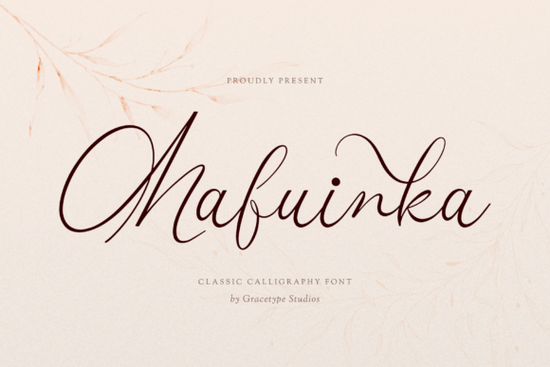
The Mafuinka font is a hand-drawn signature typeface with ultra-fine strokes, dramatic loops, and sweeping ascenders that closely resemble real penmanship. If you need a script font that looks refined without the inconsistency of freehand lettering, this one deserves a closer look. It was made for projects that call for an intimate, high-fashion signature feel think wedding invitations, boutique branding, and luxury packaging.
What makes Mafuinka different from other script fonts?
Most script fonts fall into two camps: overly casual or stiffly formal. Mafuinka sits in a sweet spot between the two. Its fluid character lines and delicate cursive ligatures create a natural rhythm on the page, while the high-contrast strokes keep everything looking sharp and intentional.
A few details that stand out:
- Organic baseline letters don't sit in a perfectly straight row, which gives the text a hand-lettered quality
- Airy letter spacing the thin strokes and open counters prevent the text from feeling heavy or cramped
- Refined ligatures connections between letters flow smoothly without looking forced
If you've used fonts like Ordinary Summer, you'll notice Mafuinka takes a more restrained, editorial approach. Where a casual summer script might lean playful, this typeface stays polished.
What projects is this font best suited for?
Mafuinka works especially well in design contexts where perceived quality matters. Here are common uses:
- Wedding stationery save-the-dates, invitation suites, envelope addressing, and menu cards
- Beauty and wellness branding salon logos, skincare packaging, spa menus
- Perfume and fragrance labels the fine strokes pair naturally with luxury product packaging
- Fashion lookbooks and editorial layouts headline text, pull quotes, or section dividers
- Digital signatures and email sign-offs gives a personal, professional touch
- Boutique business cards and logos especially for photographers, planners, and consultants
For print-on-demand sellers, this kind of elegant signature script can help products like mugs, tote bags, and wall art appeal to a more style-conscious audience.
How does Mafuinka pair with other fonts?
Signature fonts like Mafuinka rarely work well as body text. They're designed for short, impactful phrases names, headings, taglines. To build a complete layout, you'll want to pair it with something clean and readable.
A few natural pairings to consider:
- Match it with a clean serif like the Bright font for a classic, editorial look
- Use a simple sans-serif for body copy when designing web pages or product descriptions
- Combine it with a secondary script if you want variety something like Friends font offers a warmer, more relaxed tone that contrasts nicely
When pairing, keep font size and weight in mind. Mafuinka's thin strokes look best at larger sizes where the details can breathe. At small sizes, the fine lines may lose legibility especially in print.
Is there anything to watch out for before buying?
Honest feedback matters, so here are a few things to keep in mind:
- Legibility at small sizes the ultra-fine strokes are beautiful but can disappear on low-resolution screens or small printed text
- Limited body text use this is a display and heading font, not meant for paragraphs
- Character set check whether the font includes the glyphs and language support you need for your specific project
- License terms always review the Mafuinka license on Creative Fabrica to confirm it covers your intended use, especially for commercial print-on-demand products
If you need a bolder, more casual handwritten look for sports-themed designs or team merchandise, a baseball handwriting font would be a better fit than Mafuinka. Matching the font's personality to the project is just as important as the design itself.
Quick checklist before you use Mafuinka in a project
- Download the font and install it on your system or design tool
- Test it at the exact size you plan to use zoom in and check legibility
- Pair it with a clean secondary font for any body or caption text
- Review the license to confirm it covers your specific use case
- Create a sample mockup (invitation, logo, label) before finalizing your design
Next step: Download Mafuinka and test it with a real project try setting a name, a tagline, or a short heading in your next wedding suite or branding mockup. Seeing it in context is the fastest way to know if it's the right fit. Download Now
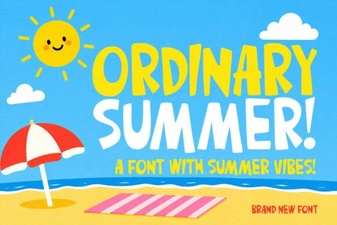 Ordinary Summer Font: a Laid-Back Typeface for Creative Projects
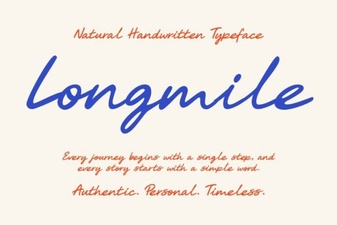 Longmile Font – Elegant Script Font for Creative Design Projects
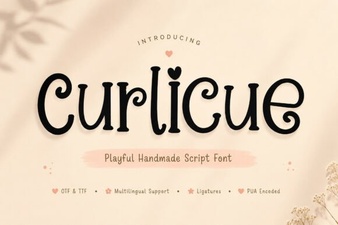 Curlicue Font - Elegant Decorative Script Typeface
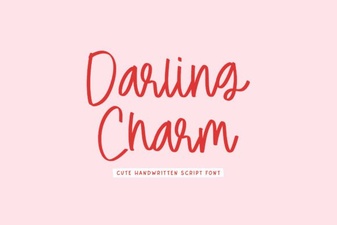 Darling Charm Font: Elevate Your Design Projects
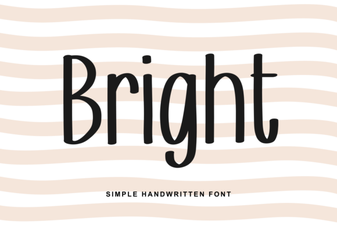 Bright Font Styles That Elevate Your Design Projects
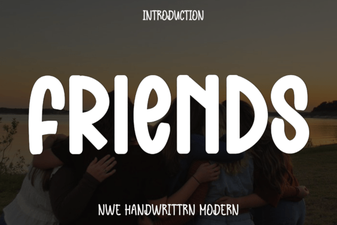 Friends Font: Iconic Typography for Creative Projects