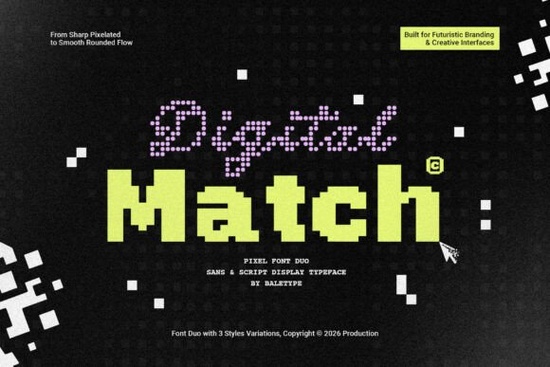
If you're working on a project that needs a modern, tech-inspired look, the Digital Match Font could be exactly what you need. It's a pixelated font duo that comes with both a script and a sans style, giving you flexibility for a range of design work. Each style includes three variants, so you can mix and match depending on the mood of your project. Whether you're designing for tech events, games, or futuristic branding, this font brings a distinctive digital edge without looking outdated or overly retro.
What's Included in the Digital Match Font Duo?
This isn't a single font with one look. It's a duo, meaning you get two complementary styles that work together:
- Digital Match Script A pixelated script style with three variants. It has personality while still keeping that structured, digital feel.
- Digital Match Sans A clean, pixel-style sans-serif with its own three variants. Great for headlines, body text pairing, or standalone use.
Having both styles in one package means you can create contrast in your designs without needing to hunt for a matching font elsewhere. The variants give you even more control you can go bolder, more subtle, or somewhere in between.
One detail worth noting: this font duo also supports multiple languages. If you sell products internationally or design for clients in different regions, that's a practical feature that saves you from compatibility headaches later.
Where Does a Pixelated Font Like This Work Best?
Pixel fonts have a specific vibe they feel digital, technical, and a little nostalgic at the same time. The Digital Match Font leans into that aesthetic but with a modern twist. Here are some practical ways you could use it:
- Logos and branding for tech startups, gaming studios, or digital agencies
- Event posters for hackathons, LAN parties, gaming tournaments, or tech conferences
- YouTube thumbnails and social media graphics where you want a bold, digital look
- T-shirt designs and print-on-demand products targeting the gaming or tech audience
- App and website UI mockups that need a retro-digital personality
- Album covers or music artwork for electronic, chiptune, or synthwave genres
It won't be the right fit for every project a pixelated font on a luxury wedding invite would feel out of place. But when the brief calls for something techy, futuristic, or game-related, this style hits the mark.
How Does It Compare to Other Display Fonts?
There are plenty of display fonts out there, and choosing the right one depends on the tone you're after. If you want something textured and sporty, the Varsity Texture display typeface takes a completely different direction with its athletic, vintage character. For bold, expressive branding projects, something like Kafu's bold display style gives you a strong visual impact without the pixel aesthetic.
On the cleaner side, Goodwin font offers a refined, modern display option that works well for editorial and corporate designs. And if you're drawn to a Nordic, architectural feel, the Aaksaraan Nordhavn typeface brings a completely different kind of sophistication.
What makes the Digital Match pixel font stand out is its combination of a retro pixel structure with modern design sensibility. It doesn't feel like a throwback to the '90s it feels intentional and current. The fact that you get a script and sans pairing with multiple variants also sets it apart from many pixel fonts that only come in one style.
Is It Easy to Use for Print-on-Demand?
Absolutely. If you sell on platforms like Redbubble, Merch by Amazon, or Etsy, fonts like this are great for creating niche designs that appeal to gamers, coders, and tech enthusiasts. The pixel aesthetic is instantly recognizable and pairs well with simple illustrations, circuit-board patterns, or glitch effects.
Just keep in mind a few things when using it for POD:
- Check the license for commercial use before uploading any design that includes the font.
- Test readability at smaller sizes pixel fonts can lose clarity on certain products like mugs or small stickers.
- Use the sans variant for longer text and the script variant sparingly for accents or headlines.
What About Language Support?
This is where many decorative fonts fall short. A lot of display and pixel fonts only cover basic Latin characters, which limits who can actually use them. The Digital Font Match typeface supports multi-language characters, which means it's more versatile for international projects. If you design templates for a global audience or work with clients in non-English markets, this is a practical advantage worth considering.
Quick Checklist Before You Buy
- ✅ Define your project Is it tech, gaming, or futuristic in theme?
- ✅ Check the license Make sure it covers your intended use (personal, commercial, POD).
- ✅ Test both styles Try the script and sans variants together to see how they pair.
- ✅ Preview at size View the font at the size you'll actually use it, especially for print.
- ✅ Explore alternatives Compare it with other Digital Match Font options or similar pixel fonts to make sure it's the best fit.
Tip: Start with the sans variant for your main text and add the script variant as a secondary accent. This keeps your design readable while adding visual interest and that digital personality you're after.
Download Now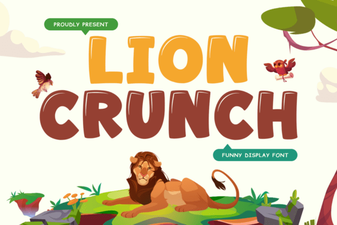 Lion Crunch Font: Bold Display Typography for Creative Projects
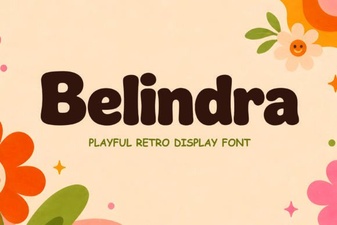 Belindra Font – Elegant Display Font for Bold Creative Designs
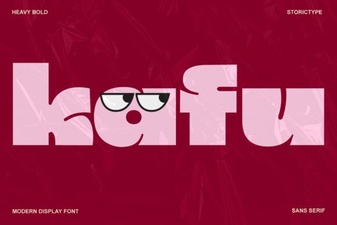 Kafu Font: a Bold and Creative Typeface for Modern Design
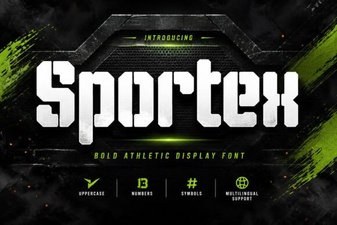 Sportex Font – Bold Display Typeface for Sports & Headlines
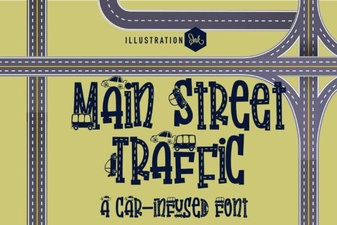 Main Street Traffic Font: Bold Urban Typography for Designers
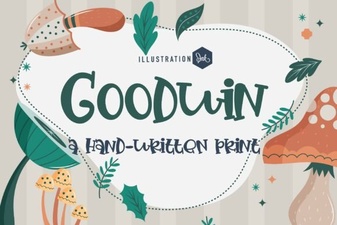 Goodwin Font: a Modern Classic for Bold Design