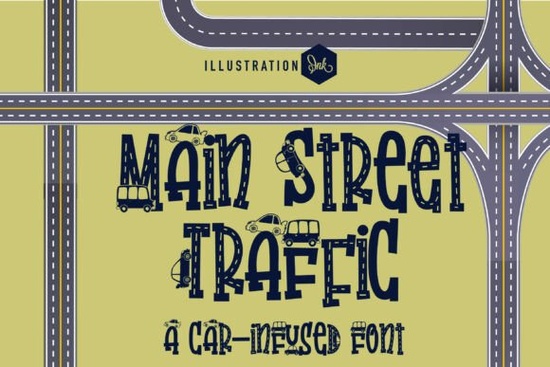
If you're looking for a novelty typeface that instantly brings personality and charm to kids' projects, Main Street Traffic Font is worth a close look. It transforms standard hand-drawn block letters into miniature roadways complete with lane dividers, crosshatches, and tiny cartoon vehicles driving along the letter stems. It's playful, detailed, and purpose-built for projects aimed at young audiences.
I've been testing it across a few design scenarios, and here's what you should know before adding it to your toolkit.
What Exactly Does Main Street Traffic Font Look Like?
Each letterform is designed as a dual-lane asphalt road. The tall, blocky shapes include:
- Segmented white lane dividers running through the center of each character
- Structural crosshatches that give the letters a textured, road-surface feel
- Miniature cartoon vehicles compact cars, buses, and delivery vans driving up the stems and across the horizontal bars
The overall effect is whimsical without being cluttered. The letter shapes stay readable even with all the embedded detail, which is important for display fonts in this niche. If you've worked with playful novelty typefaces before, you'll appreciate that the road illustration doesn't overwhelm the actual typography.
Who Is This Font Best Suited For?
Main Street Traffic works especially well for anyone creating content for children or families. Based on the design style, here are the strongest use cases:
- Children's educational posters titles for classroom walls, reading corners, or homeschool materials
- Playmat graphics custom bedroom or daycare floor mats with transport themes
- Youth apparel labels boutique kids' clothing brands that need a distinctive header font
- Birthday invitations especially transport, vehicle, or city-themed party designs
- Social media graphics eye-catching posts for parenting blogs, toy shops, or kids' activity centers
If you run a print-on-demand shop focused on children's products, this font can fill a very specific gap in your design library. It's the kind of typeface that makes a title feel like part of the illustration rather than sitting on top of it.
How Does It Compare to Other Display Fonts?
It depends on the project. If you need something with a bold, athletic vibe, the Varsity Texture display font gives you that classic letterman-jacket energy. For projects that call for elegant sophistication, a font like Goodwin's display style takes a completely different approach with refined letterforms.
For designers who enjoy handcrafted aesthetics, Belindra's unique display lettering offers a flowing, artistic alternative. And if you're after something with a modern edge, Kafu's display design brings contemporary character to headlines.
Main Street Traffic occupies its own lane literally. It's a niche novelty display font, meaning it won't work for body text or professional corporate branding. But for the right project, nothing else quite matches its playful road concept. You can explore the full details of Main Street Traffic's display font style on the product page.
What File Formats and Licensing Do You Get?
This font is available through Creative Fabrica, which typically includes commercial licensing with your purchase. That means you can use it on products you sell print-on-demand items, physical invitations, digital downloads, and more. Always double-check the specific license terms on the product listing to make sure your intended use is covered.
You can find Main Street Traffic Font on Creative Fabrica along with hundreds of other display fonts in their catalog.
Tips for Getting the Most Out of This Font
After working with novelty display fonts like this, a few practical tips help:
- Use it large. The road details and tiny vehicles need size to read well. Stick to headers and titles rather than small text.
- Pair it with a simple sans-serif. Body text in a clean, neutral font keeps the focus on your headline without visual overload.
- Choose colors carefully. The asphalt texture works best in dark grays or blacks. Adding a bright background helps the vehicles pop.
- Test on your target medium. Print the design on your actual product (or a mockup) before listing it the fine lane-divider details may need adjustment at certain scales.
Quick Checklist Before You Buy
- Confirm you need a novelty display font not a body or script typeface
- Verify the license covers your specific commercial use case
- Download and test it at the sizes you plan to use
- Pair it with a clean complementary font for full designs
- Create a mockup of your product before going live
Next step: Head over to Creative Fabrica, grab the font, and test it on a single project like a birthday invite or a social media post before rolling it out across your full product line.
Get Started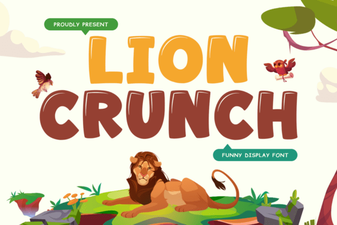 Lion Crunch Font: Bold Display Typography for Creative Projects
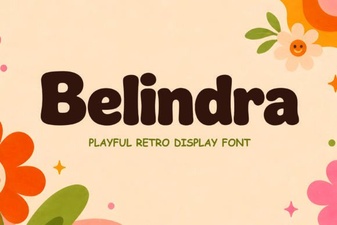 Belindra Font – Elegant Display Font for Bold Creative Designs
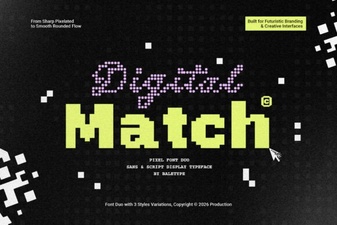 Crafting Seamless Design with Digital Match Fonts
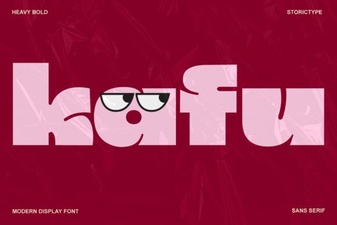 Kafu Font: a Bold and Creative Typeface for Modern Design
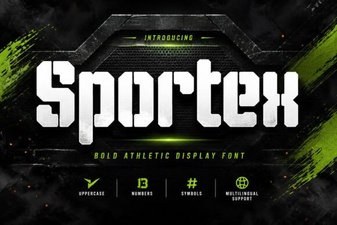 Sportex Font – Bold Display Typeface for Sports & Headlines
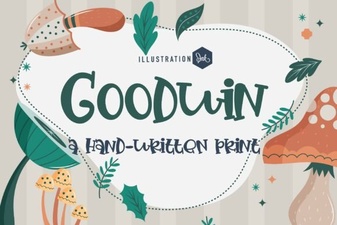 Goodwin Font: a Modern Classic for Bold Design